

By Eleven Nepal Editorial Team | Updated: 20 October 2026 | Category: Technology & Digital Skills
Learning video editing in Nepal can be a valuable way to develop creative skills, produce digital content and explore professional opportunities in media, marketing, filmmaking and online services.
Whether you want to edit YouTube videos, create Instagram Reels, produce travel documentaries, work with businesses or become a freelance video editor, understanding the fundamentals of editing is an important first step.
The good news is that beginners do not necessarily need an expensive computer, professional camera or paid editing subscription.
You can begin learning with a smartphone or a suitable computer, free editing software and original practice footage.
However, professional video editing involves much more than adding transitions, background music and visual effects.
A skilled editor understands storytelling, pacing, audio, colour, continuity, organisation and the needs of the intended audience.
In 2026, creators can explore established tools such as DaVinci Resolve and Adobe Premiere, alongside mobile editing applications. Artificial intelligence is also becoming part of some editing workflows, although editors still need to evaluate the accuracy and quality of automated results.
For Nepalese students and aspiring freelancers, developing practical editing skills may help build a portfolio and prepare for legitimate employment or client projects.
But how should beginners start?
Which software should they choose? Can video editing be learned for free? What computer specifications matter? How long does it take to become competent? And how can someone demonstrate their skills to potential clients?
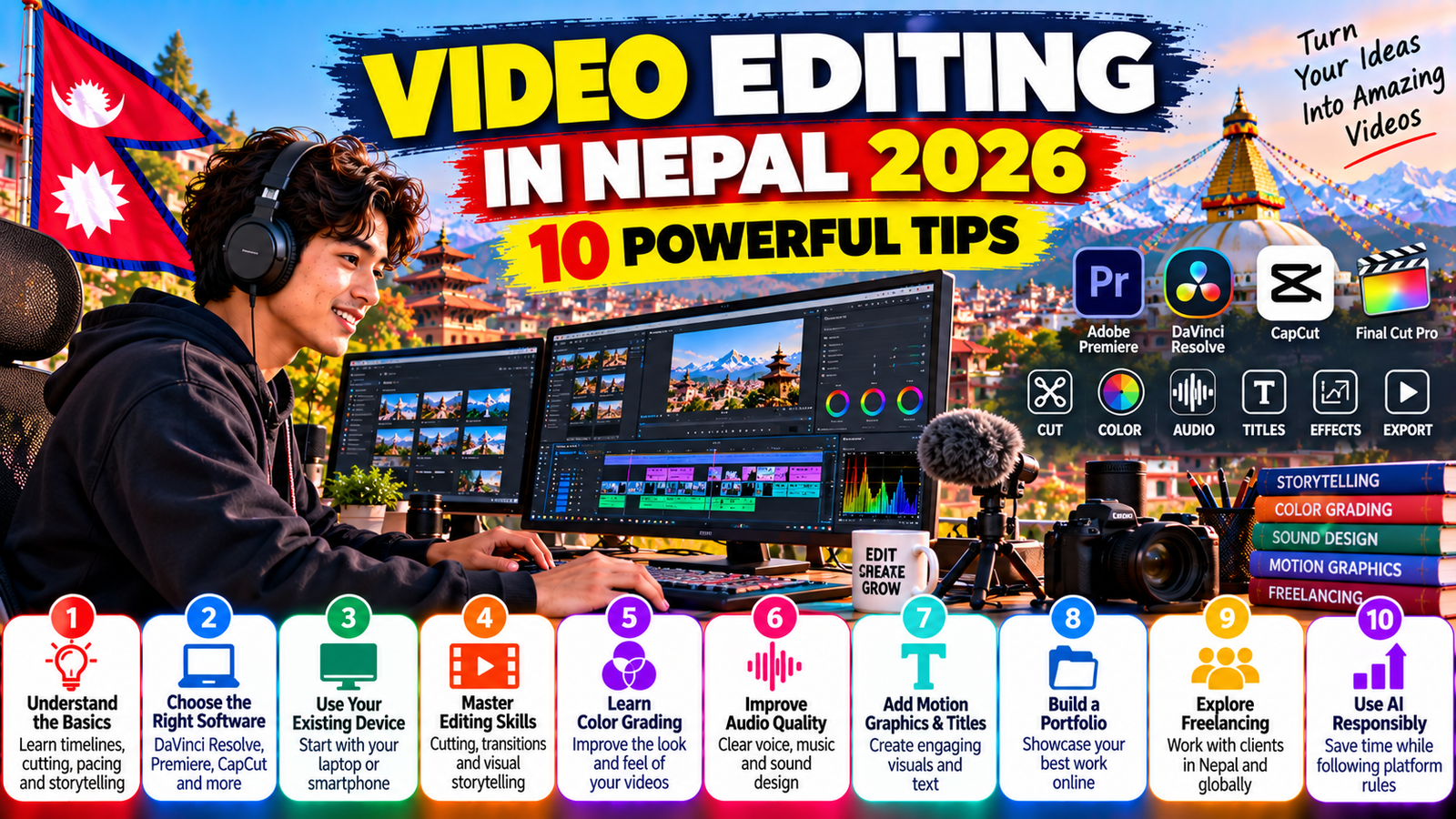
This guide explains 10 powerful tips for learning video editing in Nepal in 2026, including software selection, essential techniques, colour correction, audio editing, portfolios, freelancing and responsible AI use.
It also provides a practical 30-day learning plan, hypothetical equipment budgets, beginner project ideas and 25 frequently asked questions.
Important: This article provides educational guidance, not guaranteed employment, income or career outcomes. Software features, subscriptions and platform policies can change. Always confirm current information with official providers.
Why Learn Video Editing in Nepal in 2026?
Video is used across many forms of communication, including education, entertainment, advertising, journalism and business promotion.
Editing transforms recorded footage into a coherent finished production.
Opportunities for Content Creators
YouTube creators, podcasters and social media publishers may need editing skills to prepare videos for their audiences.
A creator producing cooking tutorials, for example, might combine preparation footage, close-up shots, voiceovers and captions.
Opportunities for Businesses
Businesses may use video to explain products, demonstrate services, introduce staff or communicate with customers.
An editor could help prepare suitable promotional material.
However, business demand varies and should not be assumed without market research.
Opportunities in Filmmaking
Film and documentary production involves organising footage, developing narrative structure and collaborating with other creative professionals.
Editing is an important part of this process.
Opportunities for Freelancers
Independent editors may provide services to clients locally or internationally.
However, obtaining clients depends on practical ability, communication, competition, contracts and payment arrangements.
Developing Transferable Skills
Video editing can improve attention to detail, organisation, storytelling, problem-solving and technical confidence.
These skills can also support broader digital careers.
For additional background, read Eleven Nepal’s Nepal Tech Revolution 2026, which discusses technology skills and digital opportunities.
1. Understand the Fundamentals of Video Editing
Before choosing software, beginners should understand what editing actually involves.
What Is Video Editing?
Video editing is the process of selecting, arranging, trimming and modifying recorded footage to communicate a story or message.
It may also involve sound, titles, graphics, visual effects and colour adjustments.
Understand the Timeline
Most editing applications use a timeline.
The timeline shows how video and audio clips are arranged over time.
Editors use it to control the order, duration and relationship between different elements.
Learn Cutting and Trimming
Cutting divides footage into sections.
Trimming adjusts the beginning or end of a clip.
These basic operations are among the most important editing skills.
Understand Continuity
Continuity helps a sequence feel visually and logically connected.
For example, a cooking demonstration should show preparation steps in an understandable order.
Learn About Pacing
Pacing refers to how quickly or slowly information is presented.
A fast-paced promotional video may use shorter shots than an educational documentary.
Neither approach is automatically better.
The appropriate pace depends on the subject and audience.
Understand B-Roll
B-roll is supporting footage used to illustrate the main content.
A tourism video might use landscape shots, transport scenes and details of local activities.
Learn Basic Storytelling
Good editing helps viewers understand what is happening and why it matters.
A simple structure includes an introduction, development and conclusion.
Beginner Practice Exercise
Record five short clips showing how to prepare a cup of tea.
Arrange them in a logical sequence.
Remove unnecessary pauses.
Add a clear opening title and export the result.
Key lesson: Learn storytelling, cutting and pacing before focusing on complicated effects.
2. Choose the Right Video Editing Software
Choosing suitable software is one of the most important decisions for beginners learning video editing in Nepal.
Different applications offer different workflows, hardware requirements and licensing arrangements.
DaVinci Resolve
DaVinci Resolve is a professional editing application developed by Blackmagic Design.
It combines editing, colour correction, visual effects, motion graphics and audio post-production tools.
Blackmagic provides a free version alongside its paid Studio edition.
Why Consider DaVinci Resolve?
The free version provides a substantial environment for learning professional editing concepts.
Blackmagic also publishes official tutorials, training books and practice files.
Its Beginner’s Guide to DaVinci Resolve 20 covers media management, timeline editing, colour, audio and visual effects.
Adobe Premiere
Adobe Premiere is another established professional editing application.
Adobe provides official learning materials covering beginner editing, sequences, transitions, audio, graphics and other techniques.
Premiere generally uses a subscription-based commercial licensing model.
Check current plans and device requirements before subscribing.
CapCut and Mobile Editors
Mobile editing applications may be suitable for short-form videos, basic titles and social media content.
However, features, availability and commercial-use conditions may vary.
Free Versus Paid Software
A free application can be sufficient for many beginner projects.
Paid software may offer additional features, integrations or specialised capabilities.
Purchasing expensive software does not automatically make someone a better editor.
Software Comparison
| Software | Common use | Beginner consideration |
|---|---|---|
| DaVinci Resolve | Editing, colour, audio and effects | Free edition and official training |
| Adobe Premiere | Professional video editing | Official tutorials; commercial subscription |
| CapCut | Mobile and social video workflows | Check current features and licensing |
| iMovie | Basic editing on compatible Apple devices | Accessible introduction to timeline editing |
| Kdenlive | Desktop editing | Open-source alternative |
| Shotcut | Desktop editing | Open-source alternative |
Which Software Should You Learn First?
If your computer can run it reliably, DaVinci Resolve is a strong option for developing broad editing skills.
If you already use Adobe software or need Premiere for a specific course or workplace, learning Premiere may be more appropriate.
If you only have a smartphone, start with a compatible mobile editor.
Avoid Switching Applications Constantly
Learning one programme thoroughly is usually more productive than repeatedly changing tools.
Official learning resources:
Key lesson: Choose software that matches your device, learning goals and budget.
3. Learn Video Editing With Your Existing Computer or Smartphone
Beginners often believe that professional editing requires an expensive laptop.
Hardware matters, but the correct starting point depends on the footage and software.
Can You Edit on a Smartphone?
Yes.
Mobile devices can support basic editing, captions, transitions and short-form video production.
Performance depends on the device and application.
Can You Edit on an Older Laptop?
Possibly.
A computer may handle simple projects but struggle with high-resolution footage or complex effects.
Check the editing software’s current minimum and recommended system requirements.
Understand RAM
RAM helps applications manage active tasks.
Insufficient memory may contribute to slow performance.
However, increasing RAM does not solve every editing problem.
Understand the GPU
Graphics processors can accelerate certain editing, colour and effects operations.
The importance of GPU performance depends on the application and workflow.
Understand Storage
Video files can occupy substantial storage space.
Solid-state drives may improve responsiveness compared with slower storage devices.
However, actual performance depends on the hardware and project.
Use Proxy Media
Proxy media consists of lower-demand versions of original video files.
Editors can use proxies during editing and return to the original footage for final delivery.
This can improve the editing experience on less powerful systems.
Reduce Preview Quality
Many applications allow lower-resolution playback previews.
This can reduce processing demands without permanently changing the source footage.
Organise Your Storage
Keep sufficient free space for media, cache files and exports.
Protect Your Projects
Maintain backups of original footage and project files.
Avoid relying on a single storage device.
Illustrative Equipment Budget
The following figures are hypothetical budgeting allowances, not verified Nepalese market prices.
| Item | Illustrative additional cost |
|---|---|
| Existing computer or smartphone | NPR 0 |
| External storage | NPR 5,000 |
| Basic headphones | NPR 2,000 |
| Optional accessories | NPR 1,000 |
| Illustrative total | NPR 8,000 |
Actual prices and requirements vary.
Key lesson: Test your existing equipment and optimise your workflow before making major purchases.
4. Master Cutting, Transitions and Storytelling
Cutting is one of the most important abilities an editor can develop.
An effective edit should guide the viewer without drawing unnecessary attention to itself.
Learn the Basic Cut
A standard cut moves directly from one shot to another.
It is often more useful than an elaborate transition.
Understand Jump Cuts
Jump cuts remove sections of continuous footage.
They are frequently used to shorten talking-head videos.
However, excessive jump cuts may become distracting.
Learn J-Cuts and L-Cuts
A J-cut introduces audio from the next scene before the picture changes.
An L-cut allows audio from the previous scene to continue after the picture changes.
These techniques can make transitions feel more natural.
Understand Match Cuts
A match cut connects shots through similar movement, shape or visual composition.
It can help create a smooth visual relationship.
Avoid Overusing Transitions
Wipes, zooms and animated transitions may be useful in particular contexts.
But applying them between every clip can distract from the message.
Use B-Roll Purposefully
Supporting footage should illustrate the subject.
For example, a café documentary could show coffee preparation while the owner discusses operations.
Remove Unnecessary Pauses
Careful trimming can improve clarity and pacing.
However, leaving some natural pauses may be important in interviews or emotional storytelling.
Think About the Viewer
Ask whether every shot contributes useful information, context or atmosphere.
Practice Project
Create a 60-second video about a local place using ten original clips.
Arrange the shots to establish location, introduce an activity and conclude with a clear final image.
Key lesson: Strong storytelling and thoughtful cuts matter more than flashy effects.
5. Learn Colour Correction and Colour Grading
Colour can influence how viewers perceive a video.
However, colour correction and colour grading are not identical.
What Is Colour Correction?
Colour correction involves improving technical consistency.
It may include adjusting exposure, white balance, contrast and colour balance.
What Is Colour Grading?
Colour grading involves developing a particular visual style or mood.
For example, a documentary may use restrained colours, while a travel montage may emphasise warmth and saturation.
Start With Exposure
Ensure important subjects are visible without unnecessary loss of highlight or shadow detail.
Understand White Balance
Incorrect white balance can make neutral objects appear too warm or too cool.
Match Different Shots
Footage recorded under different lighting conditions may look inconsistent.
Matching shots can help maintain visual continuity.
Learn Scopes
Waveforms, histograms and vectorscopes provide technical information about image levels and colour.
They can support more consistent adjustments.
Avoid Excessive Saturation
Highly saturated colours may appear unnatural or distracting.
Understand LUTs
A lookup table, commonly called a LUT, can transform image values.
LUTs can be useful in colour workflows, but they are not automatic solutions for every shot.
Learn Colour Management
Colour management helps maintain more predictable results across footage, displays and output formats.
Beginners should understand basic concepts before experimenting with advanced workflows.
Practice Exercise
Record the same subject under two different lighting conditions.
Correct exposure and white balance.
Then try to make both shots appear visually consistent.
Key lesson: Learn accurate colour correction before developing dramatic cinematic looks.
6. Improve Audio Editing and Sound Design
Audio is an essential part of professional video production.
Even attractive footage may be difficult to enjoy when speech is unclear.
Understand Dialogue Editing
Dialogue editing involves improving spoken recordings.
Tasks may include trimming unwanted sections, reducing distractions and adjusting levels.
Monitor With Headphones
Headphones can help identify clicks, background noise and other issues.
Understand Audio Levels
Audio that is too quiet may be difficult to hear.
Audio that is too loud may distort.
Learn Equalisation
Equalisation adjusts the balance of different frequency ranges.
It can help improve clarity when applied appropriately.
Understand Compression
Audio compression reduces dynamic-range differences.
It may help make speech levels more consistent.
However, excessive compression can make recordings sound unnatural.
Use Noise Reduction Carefully
Noise-reduction tools can reduce some background sounds.
Aggressive processing may introduce audible artefacts.
Add Music Responsibly
Background music should support the video rather than overpower dialogue.
Understand Sound Effects
Sound effects can improve atmosphere and communication.
Use them intentionally.
Respect Copyright
Music and sound recordings may be protected by copyright.
Finding a track online does not automatically provide permission for commercial use.
YouTube explains that creators need appropriate rights to use third-party audio and visual material.
Learn Fairlight or Other Audio Tools
DaVinci Resolve includes Fairlight audio tools.
Blackmagic provides an official Fairlight training guide.
Practice Exercise
Record a short spoken introduction.
Edit out unnecessary noise, balance the level and add appropriately licensed background music.
Key lesson: Clear, balanced audio can significantly improve the viewing experience.
7. Learn Motion Graphics, Titles and Visual Effects
Once you understand basic editing, you can begin exploring motion graphics.
What Are Motion Graphics?
Motion graphics are animated visual elements used to communicate information.
Examples include moving titles, diagrams and lower-thirds.
Learn Basic Titles
Start with readable titles that identify the topic or speaker.
Understand Keyframes
Keyframes define how a property changes over time.
They can control movement, scale, opacity and other settings.
Create Lower-Third Graphics
Lower-thirds are often used to identify speakers in interviews.
Understand Masking
Masking allows editors to isolate or control parts of an image.
Learn Basic Compositing
Compositing combines multiple visual elements into one scene.
Explore Fusion
DaVinci Resolve includes Fusion for visual effects and motion graphics.
Blackmagic provides official training resources for beginners.
Avoid Unnecessary Complexity
A complicated animation may take considerable time without improving the viewer’s understanding.
Maintain Consistent Branding
Use consistent typography, spacing and visual styles across related projects.
Consider Accessibility
Ensure text is readable and remains on screen long enough to understand.
Practice Exercise
Create a short educational video featuring an animated title, speaker identification and a simple visual explanation.
Key lesson: Motion graphics should make information clearer, not simply make the video look more complicated.
8. Build a Professional Video Editing Portfolio
A portfolio provides evidence of what you can create.
For beginners learning video editing in Nepal, completed projects can be more useful than simply listing software knowledge.
What Is a Video Editing Portfolio?
A portfolio is a collection of selected work that demonstrates your editing skills.
Start With Original Practice Projects
You do not need a paying client to begin building a portfolio.
Create projects using your own footage or material that you are authorised to use.
Include Different Editing Styles
You might prepare:
- A short promotional video.
- An educational tutorial.
- A travel montage.
- A talking-head video.
- A podcast highlight.
- A short documentary.
- A social media advertisement concept.
Show Your Contribution
Explain whether you handled editing, filming, audio, colour or graphics.
Create Before-and-After Examples
Where appropriate, show how editing improved the original footage.
Ensure you have permission to display the material.
Use Clear Project Descriptions
Explain the objective, editing process and final output.
Avoid Misrepresenting Client Work
Do not claim that a fictional practice project was commissioned by a real company.
Keep the Portfolio Focused
A small selection of strong projects may be more useful than a large collection of unfinished work.
Choose a Suitable Platform
You can present your portfolio through a personal website or compatible video-sharing service.
Check privacy and licensing settings.
Update Your Work
Replace older examples as your abilities improve.
For advice on presenting skills to employers, see Eleven Nepal’s How to Make a Professional CV in Nepal.
Key lesson: A portfolio should demonstrate genuine ability, originality and professional judgement.
9. Explore Freelance Video Editing Opportunities in Nepal
Once you have developed practical skills, you may consider offering editing services.
However, freelancing is a business activity as well as a creative profession.
Identify Potential Clients
Possible clients may include content creators, businesses, educational organisations and media producers.
These are potential customer groups, not verified current vacancies.
Choose a Service
You might specialise in YouTube editing, short-form videos, podcast editing or promotional content.
Understand Client Requirements
Ask about the intended audience, final video length, delivery format, deadline and number of revisions.
Agree on the Scope
A written agreement can clarify expectations.
Consider Project Complexity
A simple short-form edit may require different work from a documentary involving extensive footage and sound design.
Avoid Promising Unrealistic Turnaround Times
Estimate the work required before agreeing to a deadline.
Build Professional Communication Skills
Respond clearly, confirm instructions and explain when information is missing.
Protect Your Files
Use suitable backup and transfer procedures.
Avoid sharing confidential client footage without authorisation.
Understand Payments
Freelancers should investigate available payment methods, fees, contracts and potential scams.
Do not assume that every international platform supports every Nepalese payment arrangement.
Avoid Guaranteed-Income Claims
There is no universal salary or freelance rate for video editors in Nepal.
Income depends on skill, project scope, experience, client demand and negotiated terms.
Illustrative Freelance Revenue Example
Suppose a fictional beginner completes three editing projects in one month.
Assume a hypothetical fee of NPR 4,000 per project.
The illustrative gross revenue would be:
3 × NPR 4,000 = NPR 12,000.
This is not a verified Nepalese market rate, typical beginner income or earnings forecast.
Actual revenue could be lower, higher or zero.
Expenses and taxes may also affect the amount retained.
Learn Related Digital Skills
Video editing can complement graphic design, marketing, writing and content strategy.
For related guidance, read Eleven Nepal’s AI Skills in Nepal 2026.
Key lesson: Freelance success depends on reliable delivery, communication and business judgement as well as technical editing skills.
10. Use AI Tools Responsibly in Video Editing
Artificial intelligence is increasingly integrated into creative software.
Some tools can assist with transcription, captions, audio repair, object selection and other production tasks.
AI-Assisted Transcription
Automatic transcription can convert speech into editable text.
However, transcripts may contain mistakes, particularly with names, accents and multilingual dialogue.
AI-Assisted Captions
Captions can improve accessibility.
Always review automatically generated text before publishing.
AI Audio Repair
Some tools can reduce background noise or improve speech clarity.
The results should be checked carefully.
AI-Assisted Object Selection
Certain editing applications provide automated masking or object-selection features.
These can save time in suitable workflows.
AI-Generated Visuals
AI-generated images and footage may be useful for some creative projects.
However, they can also misrepresent people, locations and events.
YouTube Disclosure Requirements
YouTube requires creators to disclose certain realistic AI-generated or meaningfully altered content.
Examples include realistic fabricated events or making a real person appear to say something they did not say.
Ordinary colour correction, caption generation and other routine production assistance do not automatically require the same disclosure.
Respect Consent
Do not use synthetic voices or manipulated likenesses to impersonate real people deceptively.
Verify AI-Generated Information
AI systems may generate inaccurate subtitles, factual claims or visual details.
Human review remains important.
Understand Monetization Policies
YouTube clarified its inauthentic-content policy on 15 July 2025, explicitly addressing repetitive or mass-produced material.
Using AI tools does not automatically prevent monetization, but originality and policy compliance remain important.
Combine AI With Human Skills
Editors should understand the underlying techniques instead of depending entirely on automated tools.
Key lesson: AI can assist editing, but creativity, accuracy and professional responsibility remain essential.
Best Free Resources to Learn Video Editing in Nepal
Beginners can access learning materials from established software providers.
Blackmagic Design Training
Blackmagic publishes DaVinci Resolve training videos, books and lesson files.
Its official materials cover editing, colour, audio and visual effects.
Website: https://www.blackmagicdesign.com/products/davinciresolve/training
Adobe Learn
Adobe provides Premiere tutorials for beginners and experienced users.
Topics include sequences, transitions, graphics, colour and audio.
Website: https://www.adobe.com/learn/premiere-pro
Kdenlive Documentation
Kdenlive provides documentation for its open-source video editing software.
Website: https://docs.kdenlive.org/
Shotcut Tutorials
Shotcut provides information and tutorials for its editing application.
Website: https://www.shotcut.org/tutorials/
Apple iMovie Support
Apple provides instructions for using iMovie on compatible devices.
Website: https://support.apple.com/imovie
Learning From Practice
Official tutorials are useful, but watching them is not the same as developing practical competence.
Complete projects using your own footage.
Are Certificates Necessary?
A certificate may document completion of training.
However, employers and clients may also evaluate portfolios, experience and practical performance.
No particular certificate guarantees employment.
A Practical 30-Day Video Editing Learning Plan
The following plan is a suggested beginner schedule.
It is not a promise that every learner will become professionally competent within 30 days.
Week 1: Learn the Basics
Day 1: Choose suitable editing software.
Day 2: Install the software and explore its interface.
Day 3: Learn how to import and organise footage.
Day 4: Practise placing clips on the timeline.
Day 5: Learn cutting and trimming.
Day 6: Practise basic transitions.
Day 7: Export a short practice video.
Week 2: Improve Storytelling and Audio
Day 8: Study pacing and continuity.
Day 9: Practise editing a talking-head video.
Day 10: Add useful B-roll.
Day 11: Learn basic audio-level adjustments.
Day 12: Practise noise reduction.
Day 13: Add titles and captions.
Day 14: Complete a one-minute educational video.
Week 3: Learn Colour and Graphics
Day 15: Understand exposure and white balance.
Day 16: Practise basic colour correction.
Day 17: Match footage from different scenes.
Day 18: Learn keyframe animation.
Day 19: Create a lower-third title.
Day 20: Experiment with simple motion graphics.
Day 21: Complete a short promotional video.
Week 4: Build a Portfolio
Day 22: Choose a portfolio project.
Day 23: Plan the story and collect footage.
Day 24: Create the first edit.
Day 25: Improve the audio.
Day 26: Correct colour and add graphics.
Day 27: Review the final video.
Day 28: Export and present the project.
Day 29: Write a project description.
Day 30: Evaluate your progress and plan the next month.
What Should You Expect After 30 Days?
You may develop familiarity with essential tools and complete several beginner projects.
Professional competence usually requires additional practice, feedback and experience.
Seven Beginner Video Editing Projects to Practise
1. Nepal Travel Montage
Use original footage to create a short visual story about a location.
Practise pacing and music selection.
2. Cooking Tutorial
Record food preparation and organise the steps into a clear instructional video.
Practise continuity and close-up editing.
3. Talking-Head Educational Video
Record someone explaining a subject.
Practise dialogue editing and captions.
4. Small-Business Promotional Concept
Create a fictional advertisement using footage you own or are licensed to use.
Clearly identify it as a practice project.
5. Podcast Highlight
Edit a short section from a recording you have permission to use.
Practise speaker framing and subtitles.
6. Before-and-After Colour Project
Correct exposure and colour in several clips.
Explain the adjustments.
7. Mini Documentary
Create a short documentary about a place, craft or activity.
Practise research, storytelling and sound design.
How Much Does It Cost to Learn Video Editing in Nepal?
Learning costs depend on your device, software and preferred training method.
Some beginners may use free software and existing equipment.
Others may choose paid courses, additional storage or upgraded hardware.
Illustrative Learning Budgets
The following are hypothetical scenarios, not verified Nepalese prices.
| Learning setup | Illustrative additional budget |
|---|---|
| Existing smartphone and free editor | NPR 0 |
| Existing computer and free editor | NPR 0 |
| Basic accessories and storage | NPR 8,000 |
| Expanded training and equipment allowance | NPR 30,000 |
Illustrative Monthly Learning Expenses
| Expense | Hypothetical allowance |
|---|---|
| Additional internet/data | NPR 1,500 |
| Learning materials | NPR 1,000 |
| Storage or accessories | NPR 1,500 |
| Illustrative total | NPR 4,000 |
Actual expenses depend on the learner’s circumstances.
Should You Pay for a Course?
A structured course may help learners who benefit from instructor feedback and a planned curriculum.
However, free official training materials may be sufficient to begin.
Questions to Ask Before Enrolling
Check the course syllabus, instructor experience, software requirements, practical projects, assessment method and refund conditions.
Avoid programmes promising guaranteed employment or unusually high earnings without credible evidence.
Common Video Editing Mistakes Beginners Should Avoid
Using Too Many Transitions
Excessive effects can distract from the content.
Ignoring Audio
Poor dialogue quality can undermine otherwise strong footage.
Overusing Colour Filters
Unnecessary colour changes may make videos look inconsistent.
Failing to Organise Files
Poor file management can cause missing media and project delays.
Editing Without a Story
Technical effects cannot replace clear communication.
Copying Other Creators’ Work
Originality matters for both professional reputation and platform policies.
Ignoring Copyright
Music and footage may require permission or appropriate licensing.
Exporting Without Checking
Always review the final file for missing audio, incorrect framing and other errors.
Relying Entirely on AI
Automated tools can make mistakes and do not replace editorial judgement.
Expecting Immediate Freelance Income
A completed course or portfolio does not guarantee clients.
Frequently Asked Questions About Video Editing in Nepal
1. Can I learn video editing in Nepal for free?
Yes. Beginners can use free editing applications and official training resources, although internet and equipment expenses may still apply.
2. Which software is best for beginners?
The best choice depends on your device and goals. DaVinci Resolve, iMovie and suitable mobile editors are possible starting points.
3. Is DaVinci Resolve free?
Blackmagic Design provides a free version of DaVinci Resolve alongside its paid Studio edition.
4. Is Adobe Premiere free?
Adobe Premiere is generally offered through paid licensing arrangements. Check Adobe’s current plans and trial conditions.
5. Can I learn video editing on my phone?
Yes. Mobile applications can support many basic editing tasks.
6. Do I need an expensive laptop?
Not necessarily. Hardware requirements depend on the software, footage and complexity of the project.
7. Can an older laptop run video editing software?
Possibly. Check the software’s requirements and consider lower-resolution footage or proxy workflows.
8. What is the first editing skill I should learn?
Start with importing footage, cutting clips, arranging a timeline and exporting a finished video.
9. What is the difference between colour correction and colour grading?
Colour correction improves technical consistency, while colour grading develops a visual style.
10. What is B-roll?
B-roll is supporting footage that illustrates or complements the main content.
11. What are proxy files?
Proxy files are less demanding versions of original media used to make editing easier.
12. Is video editing difficult to learn?
The basics can be approachable, but advanced editing requires sustained practice and technical understanding.
13. How long does it take to learn video editing?
There is no universal timeline. Progress depends on practice, prior experience, software and project complexity.
14. Can I become a freelance video editor in Nepal?
Yes, you may explore freelance services, but securing clients and income is not guaranteed.
15. How much do video editors earn in Nepal?
There is no single verified rate applicable to every editor. Earnings depend on employment arrangements, skills, experience and project requirements.
16. Do I need a video editing certificate?
Not universally. Some employers may value certificates, while others focus on practical work and portfolios.
17. How do I build a portfolio without clients?
Create original practice projects and clearly identify them as personal work.
18. Can I use copyrighted music in edited videos?
You need appropriate rights or another lawful basis for using protected material.
19. Can I use AI for video editing?
Yes. AI tools can assist with some tasks, but results should be reviewed and platform rules followed.
20. Does YouTube require disclosure of AI-edited videos?
YouTube requires disclosure for certain realistic AI-generated or significantly altered content, not every ordinary editing adjustment.
21. Can I edit YouTube Shorts?
Yes. Suitable editing software can be used to create short-form videos.
22. Is DaVinci Resolve suitable for professional work?
Yes. It provides professional editing, colour, audio and visual-effects workflows, subject to edition-specific features and system requirements.
23. What should I practise every day?
Practise a specific technique and apply it to a small finished project.
24. Can video editing help with digital marketing?
Yes. Editing skills can support the production of educational, promotional and social media content.
25. What is the most important tip for learning video editing?
Focus on storytelling, complete original projects and improve through consistent practice and feedback.
Conclusion: Start Learning Video Editing in Nepal Today
Learning video editing in Nepal in 2026 can provide a practical way to develop creative, technical and communication skills.
You do not necessarily need expensive equipment or paid software to begin.
A suitable smartphone or computer, free editing tools and a structured learning plan can provide a useful starting point.
The ten essential areas covered in this guide are understanding editing fundamentals, selecting software, working with available hardware, mastering storytelling, learning colour, improving audio, exploring graphics, building a portfolio, understanding freelance work and using AI responsibly.
Beginners should focus on completing original projects rather than simply watching tutorials.
As your abilities improve, you can explore more complex productions, specialised workflows and professional opportunities.
Blackmagic Design and Adobe provide official training resources that can support structured learning.
However, neither software knowledge nor course completion guarantees employment or freelance income.
Long-term progress depends on practical ability, creativity, professional communication and continued learning.
Your first edited video does not need to be perfect. It needs to be completed, reviewed and used as an opportunity to improve.
Start with a simple project, learn from your mistakes and gradually build a portfolio that demonstrates your genuine skills.
Eleven Nepal — Empowering Youth Through Knowledge, Skills and Opportunities.
References and Official Sources
1. Blackmagic Design (accessed 20 October 2026). DaVinci Resolve Official Training.
2. Blackmagic Design (DaVinci Resolve 20 edition). The Beginner’s Guide to DaVinci Resolve 20.
https://documents.blackmagicdesign.com/UserManuals/DaVinci-Resolve-20-Beginners-Guide.pdf
3. Blackmagic Design (accessed 20 October 2026). DaVinci Resolve Product Information.
4. Adobe (accessed 20 October 2026). Learn Adobe Premiere.
5. Adobe (updated 21 May 2026). Adobe Video Tutorials.
6. Kdenlive (accessed 20 October 2026). Official Documentation.
7. Shotcut (accessed 20 October 2026). Official Tutorials.
8. Apple Support (accessed 20 October 2026). iMovie Support.
9. YouTube Help (accessed 20 October 2026). Disclosing Use of Generative AI Content.
10. YouTube Help (policy clarification dated 15 July 2025). YouTube Channel Monetization Policies.
11. YouTube Help (accessed 20 October 2026). What Kind of Content Can I Monetize?
12. YouTube Help (accessed 20 October 2026). Remove Copyright-Claimed Content From Videos.
13. Eleven Nepal (14 October 2026). AI Skills in Nepal 2026: 7 Essential Skills for Students and Jobseekers.
14. Eleven Nepal (14 October 2026). Nepal Tech Revolution 2026: 5 Powerful Opportunities for Youth.
15. Eleven Nepal (October 2026). How to Make a Professional CV in Nepal: 7 Essential Steps.
Editorial note: This article uses official software and platform guidance reviewed in October 2026. Software capabilities, availability and licensing may change. All NPR budgets and freelance revenue calculations are hypothetical examples, not verified Nepalese retail prices, typical wages or earnings forecasts. This article does not guarantee employment, client acquisition or financial results.

