


By Eleven Nepal Editorial Team | 20 October 2026 | Technology
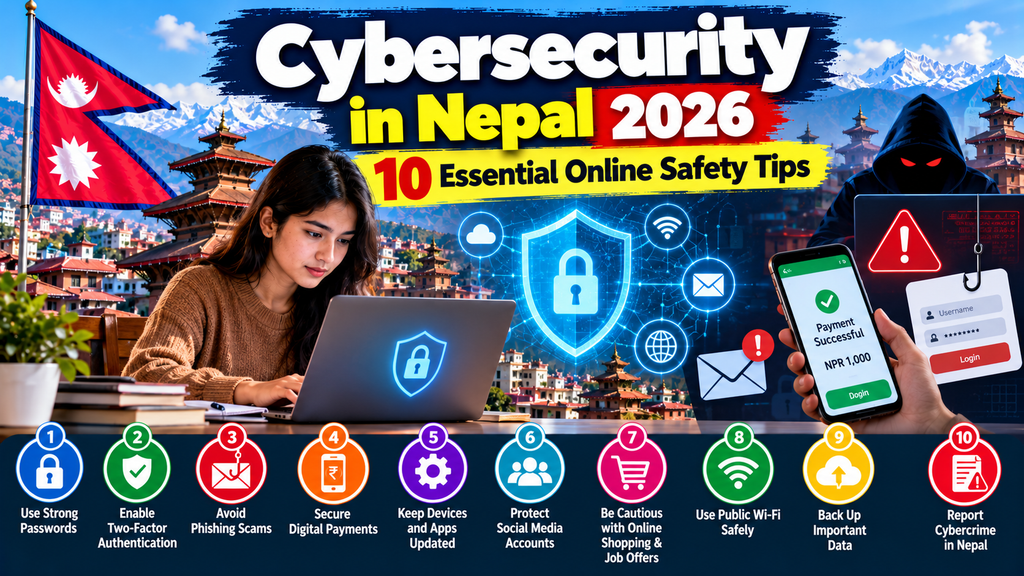
The internet has become an important part of everyday life in Nepal. People use smartphones to communicate with family, apply for jobs, attend online classes, operate businesses, shop and manage digital payments.
These services offer convenience, but they also create opportunities for online fraud, identity theft, phishing and account hacking.
A message claiming that your bank account has been suspended might be fraudulent. A social media advertisement promising an unusually profitable investment could be designed to steal money. Even a familiar-looking message from a friend’s account may have been sent by someone who gained unauthorised access.
Understanding cybersecurity in Nepal is therefore increasingly important for students, families, employees, entrepreneurs and anyone who uses digital services.
The issue is particularly relevant in October 2026.
On 16 October 2026, Nepal Rastra Bank’s Financial Intelligence Unit published a special advisory concerning online scams and fraud. Nepal’s National Cyber Security Center has also published guidance on ransomware and other cybersecurity risks.
These developments demonstrate that online safety remains an active concern for public authorities.
However, readers should be cautious about dramatic statistics claiming that a particular number of Nepalese people are hacked or lose money every day. Without an identified official dataset and reporting period, such figures should not be treated as verified facts.
The good news is that many common online risks can be reduced through practical security habits.
This guide explains ten essential cybersecurity tips, common scams affecting Nepalese internet users, how to protect digital payments and what to do when an online incident occurs.
What Is Cybersecurity and Why Does It Matter in Nepal?
Cybersecurity refers to the practices, technologies and processes used to protect digital devices, accounts, networks and information against unauthorised access, damage and misuse.
For an individual, cybersecurity might involve protecting a banking password or preventing someone from taking control of a Facebook account.
For a business, it could involve protecting customer records, securing a website and maintaining access to important files.
Cybersecurity Versus Online Privacy
Cybersecurity and privacy are related but different.
Cybersecurity focuses on protecting information and systems against threats.
Privacy concerns how personal information is collected, used, shared and controlled.
A website might have strong technical security but still collect more personal information than necessary.
Good digital practices should consider both.
Why Cybersecurity in Nepal Matters in 2026
Digital services are becoming part of education, commerce, employment and public administration.
Nepal’s National Cyber Security Policy, 2080, establishes a national policy framework for improving cybersecurity.
The National Cyber Security Center also provides cybersecurity information and guidance.
Meanwhile, Nepal Police’s Cyber Bureau accepts complaints concerning online financial fraud, hacked accounts and other cyber incidents.
These institutions address different aspects of cybersecurity.
A national policy does not guarantee that every digital service is secure. Individual users and organisations must still take reasonable precautions.
Who Needs Cybersecurity Awareness?
Cybersecurity is relevant to almost everyone using the internet.
Students need to protect educational accounts and personal information.
Workers need to recognise fraudulent job offers and suspicious attachments.
Families need to understand online shopping and financial scams.
Business owners need to protect customer records and payment accounts.
Older adults and first-time internet users may benefit from straightforward guidance about identifying suspicious requests.
The most useful cybersecurity advice is practical, understandable and regularly applied.
1. Use Strong, Unique Passwords for Every Important Account
Passwords remain an important part of account security.
A weak or reused password can create problems when criminals obtain login credentials through phishing or data breaches.
Why Reusing Passwords Is Dangerous
Imagine using the same password for your email, social media and online shopping accounts.
If one service suffers a data breach and the password is exposed, an attacker may try the same credentials elsewhere.
This is commonly called credential stuffing.
The attacker does not necessarily need to guess your password if it has already been exposed.
How to Create a Strong Password
The US Cybersecurity and Infrastructure Security Agency (CISA) recommends long, random and unique passwords.
Its public guidance recommends passwords of at least 16 characters.
A password should not be based on easily discovered personal information such as a birthday, phone number or familiar name.
Consider Using a Password Manager
A reputable password manager can generate and store unique passwords.
This reduces the need to remember dozens of complex combinations.
However, the password manager itself should be protected with a strong master password and multifactor authentication where available.
Which Accounts Should Be Prioritised?
Start with your primary email account.
Email is particularly important because it is often used to reset passwords for other services.
Then secure banking, digital wallets, social media, cloud storage and business accounts.
Practical Action
Review whether you reuse passwords.
Replace reused passwords on important accounts with unique alternatives.
If a password may have been exposed, change it through the service’s official website or application.
Key lesson: A unique password helps prevent one compromised account from becoming a problem across several services.
2. Enable Two-Factor or Multifactor Authentication
A strong password is valuable, but it should not be the only protection for an important account.
Multifactor authentication, or MFA, adds another verification step.
What Is Two-Factor Authentication?
Two-factor authentication is a form of MFA.
After entering a password, the user may need to provide additional proof of identity.
Depending on the service, this might involve an authenticator application, a passkey, a security key or a one-time verification code.
Why MFA Matters
If an attacker obtains a password, an additional authentication requirement can make unauthorised access more difficult.
CISA recommends enabling MFA wherever it is available.
Which MFA Method Is Best?
Where supported, phishing-resistant methods such as passkeys or hardware security keys offer important advantages.
Authenticator applications are another useful option.
SMS verification can still provide additional protection, but it may be vulnerable to certain attacks, including SIM-related fraud and social engineering.
The available methods depend on the service.
Never Share Verification Codes
A one-time password, commonly called an OTP, should not be disclosed to someone who contacts you unexpectedly.
A fraudster may pretend to be a bank employee, delivery agent or technical support worker.
The caller might claim that a verification code is necessary to resolve a problem.
Do not provide the code.
Protect Recovery Options
Keep account recovery information up to date.
Store recovery codes securely and separately from the account where practical.
Otherwise, losing a phone could make it difficult to regain access.
Key lesson: Enable MFA on email, banking, digital wallets and social media accounts whenever the service supports it.
3. Learn to Recognise Phishing Messages and Fake Websites
Phishing is a technique used to deceive people into revealing information, opening malicious files or visiting fraudulent websites.
Phishing attempts may arrive through email, SMS, social media or messaging applications.
How Phishing Works
A criminal creates a message that appears to come from a trusted organisation.
The message may claim that your account has been blocked or that you must urgently verify your identity.
It might include a link to a fake login page.
If you enter your password, the attacker may capture it.
Common Warning Signs
Suspicious messages may create urgency, threaten consequences or promise an unrealistic reward.
However, professional-looking messages can also be fraudulent.
Correct spelling, logos and branding do not prove authenticity.
Check the Actual Website Address
A fraudulent website may use a domain that resembles the real organisation’s name.
For example, a fake page might add extra words or characters to a familiar brand.
Do not assume that a website is genuine simply because it displays a padlock icon.
HTTPS indicates an encrypted connection, not that the operator is trustworthy.
Avoid Unexpected Links
If you receive a suspicious message claiming to come from your bank, open the bank’s official application or enter its known website address independently.
Do not rely on the link in the message.
Be Careful With Attachments
Unexpected attachments may contain harmful files.
Verify the sender and context before opening documents or downloading software.
Practical Example
Suppose you receive a text message saying:
“Your mobile banking account will be permanently disabled unless you verify it immediately.”
The message includes a link.
Instead of clicking, open your banking application directly or contact the bank using its published contact details.
Key lesson: Treat unexpected requests for passwords, OTPs or urgent payments as warning signs.
4. Protect Mobile Banking, Digital Wallets and QR Payments
Digital financial services can make everyday transactions more convenient.
However, financial accounts are attractive targets for fraud because they can provide access to money.
Nepal Rastra Bank’s Financial Intelligence Unit published a special online scams and fraud advisory on 16 October 2026.
Users should review current information from their banks and payment providers.
Protect Your Banking Credentials
Never disclose banking passwords, transaction PINs or verification codes to strangers.
Avoid storing sensitive credentials in unsecured notes or sending them through chat messages.
Verify QR Payment Details
Before confirming a QR payment, check the displayed recipient information and amount.
A QR code is simply a way to encode information. Its appearance alone does not prove that the intended merchant will receive the money.
Beware of Fake Payment Screenshots
A screenshot claiming that someone has paid you is not reliable proof of receipt.
Sellers should verify the transaction through their own bank or payment provider.
Do not release goods solely because a buyer displays an image of a successful payment.
Check Payment Requests
Some scams involve sending a payment request while claiming the recipient is about to receive money.
Read the transaction confirmation carefully.
Make sure you understand whether you are sending or receiving funds.
Avoid Remote-Access Requests
Fraudsters may ask users to install screen-sharing or remote-access software under the pretence of helping with a transaction.
Such access can expose sensitive information and allow unauthorised activity.
Do not install remote-access tools at the request of an unverified caller.
Enable Transaction Alerts
Where available, transaction notifications can help identify suspicious activity.
Review your statements regularly.
What If You Transfer Money to a Scammer?
Contact your bank or payment provider immediately through its official channels.
Ask whether the transaction can be stopped, recalled or investigated.
Do not assume recovery is guaranteed.
Preserve transaction details and report the incident to police.
Key lesson: Always verify the recipient, amount and purpose before approving a digital payment.
5. Keep Your Phone, Computer and Applications Updated
Software updates are not only about adding features.
They may also fix security vulnerabilities that attackers could exploit.
Why Updates Matter
A security vulnerability is a weakness in software or a system.
When a manufacturer identifies a vulnerability, it may release an update to address the problem.
Devices that remain unpatched can be exposed to known threats.
Update Your Operating System
Keep Android, iOS, Windows, macOS and other operating systems updated through their official mechanisms.
Where practical, enable automatic security updates.
Update Applications
Banking apps, browsers, messaging applications and other frequently used software should also be maintained.
Install updates from trusted sources.
Avoid Unofficial Modified Applications
Modified or pirated applications may contain unwanted software or harmful code.
Even if an application appears to work normally, it may request unnecessary permissions or collect sensitive information.
Review Application Permissions
A simple application may not need access to your contacts, microphone or location.
Review permissions and disable access that is unnecessary.
Replace Unsupported Devices Where Possible
Older devices may stop receiving security updates.
If replacement is not immediately affordable, reduce risky activity, remove unnecessary applications and avoid using unsupported devices for highly sensitive transactions where possible.
Practical Action
Set aside time each month to check whether your devices and important applications are up to date.
Key lesson: Regular updates reduce exposure to vulnerabilities that have already been identified and fixed.
6. Secure Social Media Accounts and Protect Personal Information
Social media platforms are important communication tools for many Nepalese users.
However, account compromise, impersonation and fraudulent messages can create serious problems.
How Social Media Accounts Get Compromised
Attackers may obtain credentials through phishing, password reuse or malicious applications.
Some victims are persuaded to provide login codes directly.
Protect Your Account
Use a unique password and enable MFA.
Review active sessions and remove unfamiliar devices.
Check which third-party applications have account access.
Be Careful With Personal Information
Avoid publicly sharing unnecessary personal details such as identity documents, private contact information or travel plans.
Information posted online can be copied or reused.
Fake Profiles and Impersonation
A fraudster may create a profile using another person’s photograph and name.
The fake account might contact friends and request money.
If you receive an unusual request from someone you know, verify it through a separate communication channel.
Protect Your Photographs
Privacy settings can reduce unwanted access, but they do not guarantee that content cannot be copied.
Think carefully before sharing sensitive images or documents.
What If Your Account Is Hacked?
Use the platform’s official recovery process.
Secure the associated email account.
Change compromised passwords and review account recovery settings.
Notify contacts if the attacker has sent fraudulent messages.
Preserve evidence before removing suspicious content where possible.
Nepal Police’s Cyber Bureau provides a complaint category for fake or hacked social media accounts.
Key lesson: Social media security protects both your identity and the people who trust your account.
7. Avoid Online Shopping, Job and Investment Scams
Fraudsters often exploit situations where people are excited, worried or looking for opportunities.
Online shopping, employment and investment offers can all be used to deceive potential victims.
Online Shopping Scams
A fraudulent seller may advertise products at unusually low prices.
The seller might demand advance payment and then fail to deliver.
Before ordering, check the seller’s identity, contact information, refund terms and independent reputation.
A professional-looking page does not guarantee legitimacy.
Fake Job Offers
Fraudulent recruiters may promise employment in exchange for payments or personal information.
Some scams involve fake remote-work tasks that require users to deposit money before receiving supposed earnings.
Verify the employer independently.
Be particularly cautious when a recruiter pressures you to pay immediately.
Investment Scams
Fraudulent investment schemes may promise high returns with little or no risk.
Claims of guaranteed profits should be treated sceptically.
Do not assume that a social media personality’s endorsement proves legitimacy.
Cryptocurrency and Digital Asset Claims
Offers involving virtual assets can carry financial, legal and fraud risks.
Nepalese users should consult current Nepal Rastra Bank guidance and applicable laws before engaging in such activities.
Fake Parcel and Delivery Messages
Scammers may claim that a parcel is waiting and that a small fee must be paid.
The linked page may collect payment details.
Verify deliveries through the original seller or courier’s official channels.
Practical Action
Before sending money to an unfamiliar business or individual, ask whether you can independently verify who they are and what you will receive.
Key lesson: A convincing advertisement is not evidence that a business or opportunity is genuine.
8. Use Public Wi-Fi and Shared Devices Carefully
Public Wi-Fi can be useful in cafés, hotels, educational institutions and other shared spaces.
However, users should understand the limitations of networks they do not control.
Risks of Public Networks
An attacker may create a wireless network with a name resembling that of a legitimate business.
Users who connect to the wrong network may be exposed to phishing or other attacks.
Unencrypted connections can also create risks.
Confirm the Correct Network
Ask the venue for the correct Wi-Fi network name.
Avoid connecting automatically to unfamiliar networks.
Use Encrypted Websites and Applications
Modern HTTPS connections help protect information in transit.
However, HTTPS does not establish that a website is legitimate.
Avoid Sensitive Transactions on Untrusted Devices
Public computers may contain malicious software or retain account information.
Avoid logging into banking or other sensitive accounts from devices you do not control.
Consider a Trusted VPN When Appropriate
A reputable VPN can provide additional protection for some network traffic.
However, it does not prevent phishing, malicious downloads or every form of surveillance.
A VPN is not a substitute for strong passwords and MFA.
Log Out of Shared Devices
If you must use a shared computer, avoid saving passwords.
Sign out when finished and review active sessions from a trusted device.
Key lesson: The security of the device and website matters as much as the Wi-Fi connection.
9. Back Up Important Data and Protect Against Ransomware
Losing access to important files can be stressful and expensive.
Students may lose coursework.
Businesses may lose customer records, invoices or operational documents.
Families may lose photographs and personal files.
What Is Ransomware?
Ransomware is malicious software that can encrypt files or disrupt access to systems.
Attackers may demand payment in exchange for restoring access.
Some attacks also involve threats to disclose stolen information.
Nepal’s 2026 Ransomware Guidance
The National Cyber Security Center published a ransomware-related cybersecurity advisory in 2083 BS, corresponding to 2026.
Its publication demonstrates the relevance of ransomware preparedness for organisations and users.
Why Backups Matter
A backup is an additional copy of important information.
If a device fails or files are damaged, a reliable backup may allow recovery.
Use More Than One Backup Location
Consider keeping copies in separate locations.
For example, important files might be stored on a computer and in a reputable cloud backup service.
An additional offline backup can provide protection against certain attacks.
Test Your Backups
A backup is useful only if the data can be restored.
Periodically confirm that important files are accessible.
Be Careful With Unknown Downloads
Ransomware can spread through malicious files, compromised software and other attack methods.
Avoid suspicious attachments and untrusted downloads.
Should You Pay a Ransom?
Payment does not guarantee recovery and may create further risks.
Victims should seek appropriate professional and law-enforcement guidance rather than assuming payment is a reliable solution.
Key lesson: Reliable backups can reduce the damage caused by device failure, accidental deletion and some cyberattacks.
10. Learn How to Report Cybercrime in Nepal
Knowing how to respond after an incident is an essential part of cybersecurity awareness.
Quick action may help limit further damage and preserve useful evidence.
Nepal Police Cyber Bureau
Nepal Police operates a Cyber Bureau in Bhotahity, Kathmandu.
Its official website provides complaint forms for different types of incidents.
These include online financial fraud, fake or hacked social media accounts and other computer-related offences.
Where to Report
The official Nepal Police FAQ explains that people in Kathmandu Valley can approach the Cyber Bureau.
Outside Kathmandu Valley, complaints may be submitted through a convenient police office or district police office.
Official Contact Information
Nepal Police Cyber Bureau
Location: Bhotahity, Kathmandu
Telephone: 01-5319044
Email: cyberbureau@nepalpolice.gov.np
Official complaint page:
The Cyber Bureau also publishes contact information for enquiries and complaint follow-up.
What Evidence Should You Preserve?
Depending on the incident, useful records may include:
- Screenshots of suspicious messages.
- Relevant website addresses.
- Social media account links.
- Transaction receipts.
- Bank or wallet transaction identifiers.
- Chat history.
- Relevant emails.
- Dates and times of events.
Avoid editing original evidence unnecessarily.
Can You Submit a Complaint by Email?
The Cyber Bureau’s official complaint guidance states that applicants who cannot attend in person may send the relevant information to its published email address.
Follow the current form and documentation instructions.
What Should You Do Immediately After a Financial Scam?
Contact the bank or payment provider first.
Secure affected accounts.
Preserve evidence.
Report the incident to police.
Do not wait for an online scammer to voluntarily return the money.
What If Someone Threatens You With Private Images?
Preserve the messages and account details.
Avoid sending additional money or sensitive material.
Report the account through the relevant platform and seek assistance from police.
If there is an immediate threat to personal safety, contact emergency services.
Key lesson: Reporting cybercrime through official channels is safer than relying on unverified individuals who promise to recover money or accounts.
Common Cybersecurity Threats in Nepal in 2026
Different online threats require different responses.
| Threat | Typical warning sign | Protective action |
|---|---|---|
| Phishing | Unexpected login or verification link | Open the official service independently |
| OTP fraud | Someone asks for a verification code | Never share the code |
| Account hacking | Unknown logins or password changes | Secure email, reset credentials and enable MFA |
| Online shopping fraud | Pressure to prepay an unfamiliar seller | Verify seller and payment details |
| Fake job offer | Payment demanded before employment | Verify employer and recruitment terms |
| Investment scam | Guaranteed high returns | Independently verify claims and applicable rules |
| Ransomware | Files become inaccessible with a payment demand | Disconnect affected systems and seek assistance |
| Impersonation | A familiar contact unexpectedly requests money | Verify through another channel |
| Fake QR payment | Payment recipient does not match expectation | Check details before confirming |
| Data theft | Unauthorised access or suspicious data requests | Restrict access, secure accounts and report |
These examples describe known forms of cyber risk. The table does not rank their prevalence in Nepal or claim that one is statistically the most common.
Cybersecurity Tips for Students in Nepal
Students use online accounts for learning, communication, applications and personal activities.
These accounts may contain important academic and identity information.
Protect Educational Accounts
Use unique passwords for student email and learning platforms.
Enable MFA where available.
Avoid Fake Scholarship and Admission Messages
Verify opportunities through the institution’s official website.
Do not send identity documents or money solely because a social media advertisement appears credible.
Protect Assignment Files
Back up coursework regularly.
Avoid installing untrusted software or browser extensions.
Be Careful With Public Computers
Shared computers in libraries and other facilities may retain account information.
Sign out and avoid saving passwords.
Learn Basic Cybersecurity Skills
Cybersecurity awareness can also lead to educational and career interests.
Students interested in technology can explore Eleven Nepal’s Nepal Tech Revolution 2026: 5 Powerful Opportunities for Youth, which discusses cybersecurity, cloud computing and digital careers.
Cybersecurity for Small Businesses in Nepal
Small businesses increasingly depend on websites, email, online payments and digital records.
A cyber incident can interrupt sales, expose information and create financial losses.
Protect Business Email
Business email accounts may be used to send invoices, manage customers and reset other account passwords.
Use strong passwords and MFA.
Limit Administrator Access
Not every employee needs full access to a website, payment account or business system.
Provide access according to job responsibilities.
Remove access when it is no longer needed.
Secure WordPress Websites
Businesses operating WordPress websites should maintain core software, themes and plugins.
Remove unnecessary extensions.
Use reputable hosting and suitable backup arrangements.
Protect administrator accounts with strong authentication.
Train Employees
Employees should know how to identify suspicious messages and verify unusual payment requests.
A fraudulent invoice may appear to come from a legitimate supplier.
Independent confirmation of changed bank details can reduce the risk of misdirected payments.
Maintain an Incident Response Plan
A basic plan should identify who to contact if an account is compromised, a payment appears fraudulent or business data becomes inaccessible.
Review Third-Party Services
Businesses should understand which providers can access customer information or business systems.
A trusted supplier relationship does not remove the need for appropriate security controls.
Protect Customer Trust
Collect only information reasonably needed for business purposes.
Store it appropriately and restrict access.
For related business planning, read Eleven Nepal’s How to Register a Business in Nepal.
Cybersecurity Laws and Government Initiatives in Nepal
Cybersecurity is not only an individual responsibility.
It also involves government policy, law enforcement and institutional preparedness.
National Cyber Security Policy, 2080
Nepal’s Ministry of Communication and Information Technology published the National Cyber Security Policy, 2080.
The policy provides a framework for national cybersecurity development.
The National Cyber Security Center also makes an English translation available.
Electronic Transactions Act, 2063
Nepal’s Electronic Transactions Act, 2063, includes provisions concerning computer-related offences.
The Nepal Police Cyber Bureau refers to this law in its complaint guidance.
The application of a particular legal provision depends on the facts and relevant legal interpretation.
National Cyber Security Center
The National Cyber Security Center publishes policies, notices and advisories.
Its resources include cybersecurity hygiene guidance and a ransomware advisory.
Nepal Rastra Bank and Financial Fraud
Nepal Rastra Bank oversees relevant aspects of the financial system.
Its Financial Intelligence Unit publishes material relating to financial crime risks, including its October 2026 online scams advisory.
What These Institutions Do Not Guarantee
The existence of policies and complaint systems does not mean that every incident can be prevented or that stolen money will always be recovered.
Users should continue to apply basic security practices and seek timely assistance when necessary.
What to Do If Your Account Has Been Hacked
If you suspect that an attacker has accessed an account, act systematically.
First: Use a Trusted Device
If you suspect your current device is infected, use another trusted device to secure important accounts where possible.
Second: Secure Your Email
Your primary email account may control password recovery for other services.
Change its password if necessary and review MFA and recovery settings.
Third: Review Account Sessions
Sign out unfamiliar devices and revoke suspicious third-party access.
Fourth: Secure Financial Accounts
Contact your bank or payment provider immediately if financial information may be affected.
Fifth: Preserve Evidence
Save relevant notifications, suspicious messages and transaction records.
Sixth: Notify Affected Contacts
If someone has used your account to send fraudulent requests, warn the people who may have received them.
Seventh: Report the Incident
Use the platform’s official reporting process and contact Nepal Police where appropriate.
Avoid paying unknown individuals who claim they can recover an account for a fee.
Illustrative Financial Example: The Cost of an Online Scam
The following example is hypothetical and is not a reported Nepalese cybercrime case.
Suppose a person receives a fake shopping advertisement and transfers NPR 8,000 to a fraudulent seller.
The seller then requests another NPR 2,000 as a supposed delivery charge.
If the buyer sends both amounts, the total potential financial loss is:
NPR 8,000 + NPR 2,000 = NPR 10,000.
The buyer may also spend time contacting the payment provider and reporting the incident.
This example demonstrates why additional payment requests should be independently verified.
It does not represent average cybercrime losses in Nepal.
Why Small Losses Still Matter
Even a relatively small financial loss can affect a household budget.
The impact depends on the person’s circumstances.
Fraud prevention is therefore important regardless of the amount involved.
A Seven-Day Personal Cybersecurity Improvement Plan
Improving online safety does not require completing every task in one day.
A short plan can help people build better habits.
Day 1: Review Passwords
Identify accounts using weak or reused passwords.
Prioritise email, banking and social media.
Day 2: Enable MFA
Activate MFA on important accounts.
Review recovery options.
Day 3: Update Devices
Install legitimate security updates.
Remove unnecessary applications.
Day 4: Review Financial Security
Check transaction alerts and payment settings.
Learn how to contact your bank or wallet provider.
Day 5: Review Privacy Settings
Check social media visibility and app permissions.
Remove unfamiliar active sessions.
Day 6: Back Up Important Files
Create backups of essential documents and photographs.
Verify that they can be restored.
Day 7: Learn Reporting Procedures
Save the official Nepal Police Cyber Bureau complaint page.
Discuss common scams with family members.
Repeat important checks periodically as your accounts and devices change.
Frequently Asked Questions About Cybersecurity in Nepal
1. What is cybersecurity in Nepal?
Cybersecurity in Nepal refers to protecting digital devices, accounts, networks and information against cyber threats within the country’s digital environment.
2. Why is cybersecurity important in 2026?
Online communication, financial transactions, education and business services create opportunities for both legitimate activity and cybercrime.
3. What are common online scams?
Examples include phishing, fake shopping offers, account impersonation, fraudulent job advertisements and investment scams.
4. How can I protect my Facebook account?
Use a unique password, enable MFA, review active sessions and avoid suspicious login links.
5. How can I protect my mobile banking account?
Keep credentials private, enable available security features, verify transactions and contact the bank through official channels if suspicious activity occurs.
6. Should I share an OTP with bank staff?
Do not share a one-time verification code with someone who unexpectedly requests it. Use the bank’s official support channels to verify any unusual request.
7. What is phishing?
Phishing is an attempt to trick someone into disclosing information, opening malicious files or visiting fraudulent websites.
8. Is public Wi-Fi safe?
Public Wi-Fi can be used more safely with appropriate precautions, but unfamiliar networks and shared devices create additional risks.
9. Does a VPN prevent hacking?
No. A VPN may protect certain network traffic but does not prevent all cyberattacks or scams.
10. What is ransomware?
Ransomware is malicious software that can block access to systems or files and may be used to demand payment.
11. How can I report cybercrime in Nepal?
Use Nepal Police’s official Cyber Bureau complaint process or contact an appropriate police office.
12. Where is the Nepal Police Cyber Bureau?
The Cyber Bureau is located in Bhotahity, Kathmandu.
13. What is the Cyber Bureau contact number?
The official published office number is 01-5319044. Consult the Cyber Bureau’s website for current contact and follow-up details.
14. Can I report a hacked social media account?
Yes. The Cyber Bureau provides a complaint category for fake or hacked accounts.
15. Can stolen money be recovered?
Recovery depends on the circumstances and actions available to the financial institution and authorities. It is not guaranteed.
16. Is two-factor authentication necessary?
It is strongly recommended wherever available, especially for important accounts.
17. Are password managers useful?
A reputable password manager can help generate and store unique passwords securely.
18. How often should I change passwords?
Change a password when there is evidence or reasonable suspicion of compromise. Strong, unique passwords do not necessarily need arbitrary frequent changes unless required by a specific policy.
19. Can a QR code be fraudulent?
Yes. A QR code may direct users to an unexpected website or payment recipient. Verify its destination and transaction details.
20. How can I recognise a fake online store?
Check the seller’s identity, contact details, independent reputation, return terms and payment arrangements.
21. What should I do after clicking a suspicious link?
Avoid entering credentials. If you submitted information, secure the affected account. If a file was downloaded or installed, investigate the device and seek technical assistance if necessary.
22. Can students learn cybersecurity for free?
Yes. Reputable organisations publish free introductory security guidance. Practical learning should use authorised training environments.
23. Does Nepal have a national cybersecurity policy?
Yes. Nepal published the National Cyber Security Policy, 2080.
24. Can small businesses be affected by cybercrime?
Yes. Businesses may face account compromise, payment fraud, data loss and operational disruption.
25. What is the most important online safety habit?
No single measure prevents every threat. Strong unique passwords, MFA, updates, phishing awareness and secure backups work best together.
Conclusion: Building Better Cybersecurity Habits in Nepal
Understanding cybersecurity in Nepal is essential for people who use digital technology in everyday life.
Online banking, social media, digital shopping and internet-based work provide convenience, but they also create risks.
Phishing messages, fake websites, fraudulent payment requests and compromised accounts can affect individuals and businesses.
Nepal’s National Cyber Security Policy, National Cyber Security Center and Police Cyber Bureau provide important institutional resources.
The Financial Intelligence Unit’s October 2026 advisory also reinforces the relevance of online fraud awareness.
However, cybersecurity does not begin and end with government action.
Every internet user can take practical steps to reduce exposure to common threats.
Use strong, unique passwords.
Enable multifactor authentication.
Verify unexpected requests.
Keep devices updated.
Protect financial information.
Maintain reliable backups.
Learn how to report suspicious activity.
For families, discussing online safety can help people recognise scams before money or information is lost.
For businesses, security should be included in everyday operations rather than addressed only after an incident.
The most effective approach is to build consistent digital safety habits, remain alert to suspicious requests and use official reporting channels when something goes wrong.
References and Verified Sources
1. Nepal Rastra Bank, Financial Intelligence Unit (16 October 2026). Special Advisory on Online Scams/Fraud.
2. Ministry of Communication and Information Technology (2080 BS / 2023). National Cyber Security Policy, 2080.
3. National Cyber Security Center (2082 BS / 2025). English Translation of National Cyber Security Policy, 2080.
4. National Cyber Security Center (2083 BS / 2026). Cybersecurity Advisory on Protection Against Ransomware.
5. Nepal Police Cyber Bureau (accessed 20 October 2026). Report Cyber Crime: Complaint Forms and Submission Instructions.
6. Nepal Police Cyber Bureau (accessed 20 October 2026). Contact Information.
7. Nepal Police (accessed 20 October 2026). Frequently Asked Questions: Reporting Cybercrime.
8. Cybersecurity and Infrastructure Security Agency. Secure Our World: Online Safety Guidance.
9. Cybersecurity and Infrastructure Security Agency. Four Easy Ways to Stay Safe Online.
10. Eleven Nepal (14 October 2026). Nepal Tech Revolution 2026: 5 Powerful Opportunities for Youth.
11. Eleven Nepal (16 October 2026). How to Register a Business in Nepal: 10 Essential Steps.
Editorial note: This article was prepared using information reviewed as of 20 October 2026. It does not invent national cybercrime statistics, financial loss figures or legal penalties. The financial example is hypothetical. Reporting procedures and official contact information should be reconfirmed when needed.

