

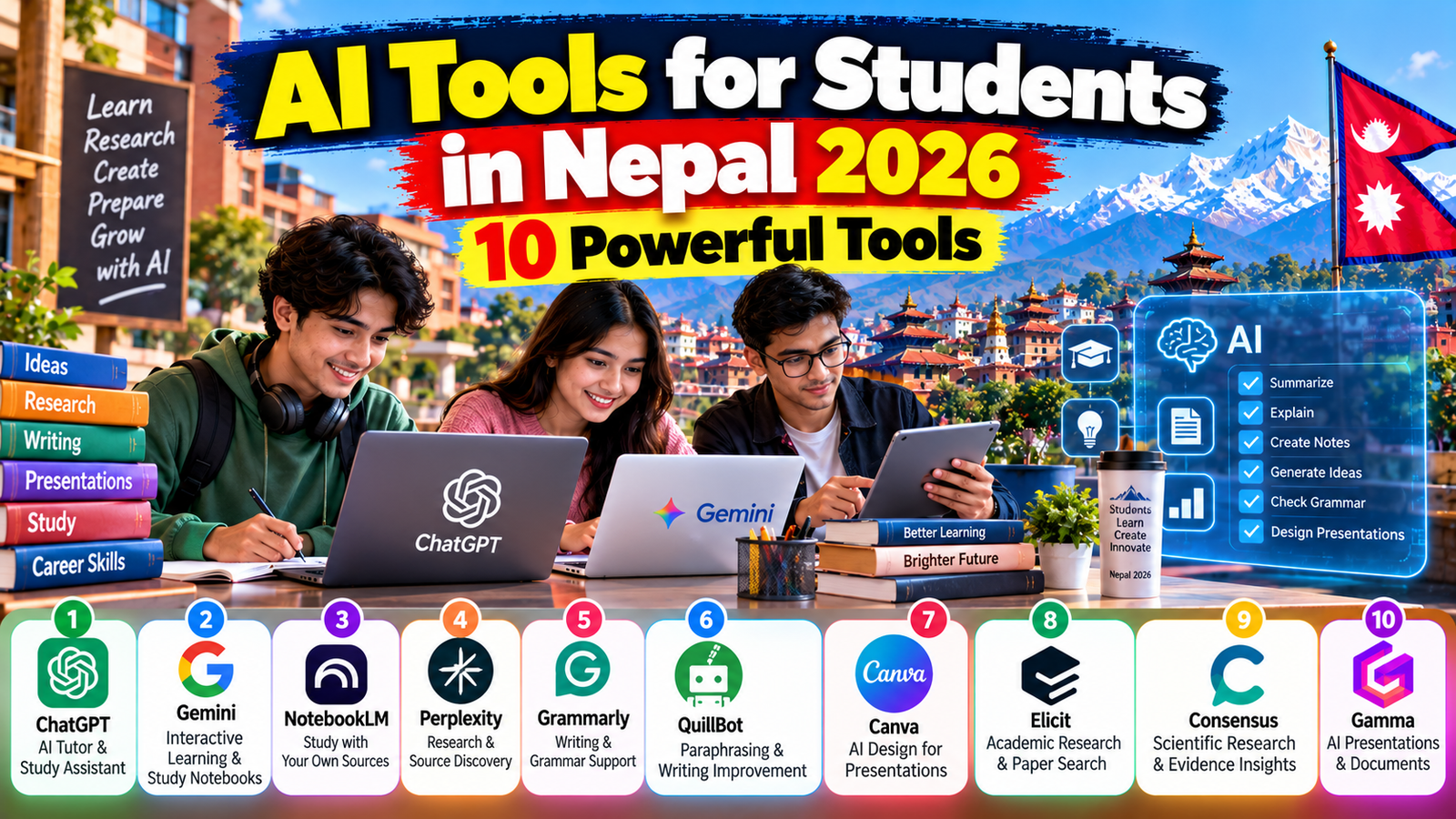
By Eleven Nepal Editorial Team | Published: 20 October 2026 | Category: Technology & Education
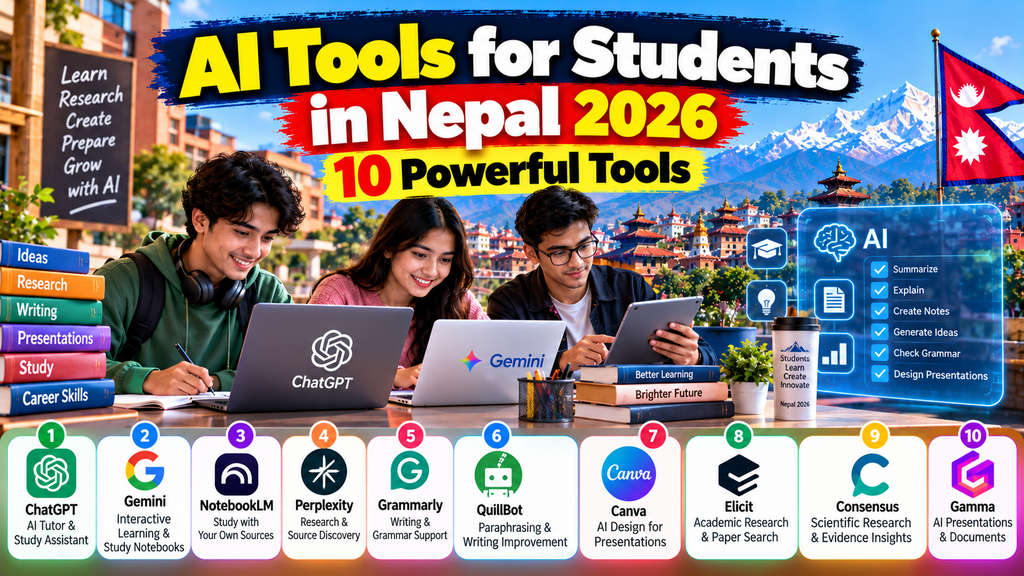
Artificial intelligence is changing how students research, study, write, prepare presentations and develop professional skills. From understanding difficult mathematics questions to organising research papers, AI-powered platforms can support many everyday learning activities.
For students in Nepal, these technologies offer opportunities to access educational assistance beyond traditional classroom hours.
A student in Kathmandu might use an AI tutor to understand a difficult accounting concept. Someone studying in Pokhara could use an AI design platform to prepare a university presentation. A student in a rural district with reliable internet access might use research tools to explore academic literature.
However, artificial intelligence is not a replacement for teachers, textbooks, independent research or critical thinking.
AI systems can produce inaccurate explanations, invent references and misunderstand questions. Some features also require paid subscriptions or may not be available to every user.
That is why choosing the right platform matters.
This guide explores 10 powerful AI tools for students in Nepal in 2026, including ChatGPT, Google Gemini, NotebookLM, Perplexity, Grammarly, QuillBot, Canva, Elicit, Consensus and Gamma.
We explain their features, potential educational benefits, free and paid access, limitations and practical examples.
We also discuss responsible academic use, privacy, internet accessibility and ways to develop valuable digital skills.
Whether you are studying for SEE, preparing for Grade 12 examinations, completing a bachelor’s degree or working on a university dissertation, this article will help you understand how AI can support your learning.
Why AI Tools for Students in Nepal Matter in 2026
Artificial intelligence can support students by making certain educational activities more accessible and interactive.
Traditional learning resources remain essential, but AI provides additional ways to explore concepts and practise skills.
Personalised Learning Support
Students learn at different speeds.
Some understand a concept after reading a textbook, while others benefit from examples and repeated explanations.
AI tools can generate alternative explanations, practice questions and revision activities.
For example, a student learning economics might ask for the concept of inflation to be explained first in simple English and then with examples relevant to Nepal.
However, the student must verify important information using reliable educational materials.
Support for English-Language Learning
Many Nepalese students complete academic work in English while using Nepali or another language at home.
AI writing tools can help identify grammar mistakes, improve sentence clarity and explain unfamiliar vocabulary.
Students should use these features to strengthen their writing rather than submit material they do not understand.
Research and Academic Reading
University students often need to locate research papers and evaluate evidence.
AI-assisted research platforms can help identify relevant literature and summarise findings.
Nevertheless, summaries are not substitutes for reading the original studies.
Presentation and Design Skills
Students frequently prepare group presentations, posters, business proposals and reports.
AI-assisted design platforms can help create initial layouts and organise information.
Students remain responsible for factual accuracy and originality.
Digital Career Preparation
Learning to use AI responsibly may also help students develop skills relevant to future employment.
Eleven Nepal’s AI Skills in Nepal 2026: 7 Essential Skills for Students and Jobseekers explains how prompt writing, data analysis and responsible AI use can complement professional abilities.
1. ChatGPT: AI Tutor for Learning, Writing and Exam Preparation
Official website: https://chatgpt.com/
ChatGPT is an AI assistant developed by OpenAI.
Students can use it to explore academic concepts, practise questions, improve writing and organise study activities.
Key Features for Students
ChatGPT can explain concepts, create practice questions, provide feedback on writing and help organise revision schedules.
It can also assist with programming explanations and structured problem-solving.
Availability of uploads, models and other features depends on the account and plan.
ChatGPT Study Mode in 2026
OpenAI’s official guidance describes Study Mode as an interactive learning experience.
Instead of immediately providing a complete answer, it can ask questions, explain ideas step by step and check a student’s understanding.
Study Mode is available across ChatGPT plans globally, subject to applicable limits.
How Nepalese Students Can Use ChatGPT
A Grade 12 student studying economics could ask:
“Explain the difference between inflation and deflation using simple examples from everyday life in Nepal. Then ask me five questions to test my understanding.”
A university student could request:
“Explain the difference between qualitative and quantitative research methods. Give examples and ask me questions to check whether I understand.”
Advantages
ChatGPT can provide flexible explanations and interactive practice.
It may help students identify gaps in their understanding.
Limitations
ChatGPT can make factual and mathematical mistakes.
It may generate nonexistent academic references.
It should not be treated as an authoritative source without verification.
Free or Paid?
ChatGPT offers a free access option, while additional plans provide different capabilities and usage limits.
Students should check the official website for current features and subscription terms.
Best for: General studying, exam practice, concept explanations, writing feedback and learning plans.
2. Google Gemini: AI Learning Assistant and Study Notebooks
Official website: https://gemini.google.com/
Google Gemini is an AI assistant developed by Google.
It can support learning, brainstorming, summarisation and question answering.
New Student Features in 2026
In June 2026, Google announced study notebooks in the Gemini application.
These notebooks are designed to support interactive learning through diagnostic quizzes, personalised lessons and progress tracking.
Google explained that students can provide learning goals or study materials and receive lessons focused on identified knowledge gaps.
Feature availability may depend on rollout, account type and location.
How Students Can Use Gemini
Suppose a student is preparing for a biology examination.
The student could ask Gemini to explain photosynthesis, create practice questions and identify areas requiring further revision.
A business student could use Gemini to compare basic marketing concepts before consulting course textbooks.
Integration With Google’s Learning Tools
Google has also developed connections between Gemini, NotebookLM and educational products.
In April 2026, Google announced personal NotebookLM class notebooks for eligible higher-education students using Google Classroom.
These features depend on institutional and account arrangements.
Advantages
Gemini can help students explore topics and structure revision.
Its educational features are particularly relevant to learners who already use Google’s ecosystem.
Limitations
AI-generated explanations may contain errors.
Students should verify facts, formulas and citations.
Some educational integrations are not available to every personal account.
Free or Paid?
Google provides free access to certain Gemini features, alongside paid and institution-managed options.
Premium access and educational offers depend on eligibility and current terms.
Best for: Interactive study, revision, explanations and students using Google services.
3. Google NotebookLM: Study Assistant Based on Your Own Sources
Official website: https://notebooklm.google.com/
NotebookLM is an AI-assisted research and study tool developed by Google.
Its distinctive approach is to work with materials supplied or selected by the user.
How NotebookLM Works
Students can organise eligible documents and learning resources into notebooks.
The tool can then help answer questions about those sources and create study materials.
Depending on available features, it can generate summaries, study guides, audio overviews and other learning aids.
Why Source-Based Learning Matters
General AI chatbots may respond using broad learned information.
NotebookLM is designed to ground its responses in the sources included in a notebook.
This can help students identify where information came from.
However, source-grounded answers can still misinterpret material or omit important context.
Example for a Nepalese University Student
Suppose a student is studying hospitality management.
They have lecture notes about food safety, stock control and customer service.
The student could add permitted course materials to NotebookLM and ask:
“Create a revision guide comparing HACCP, stock rotation and food waste management using only these documents.”
The student can then review the output against the original lecture notes.
2026 Educational Developments
Google’s 2026 announcements expanded connections between NotebookLM and Gemini study notebooks.
These developments provide additional ways to organise learning around educational materials.
Advantages
NotebookLM is useful for reviewing lengthy notes and identifying important themes.
It can support revision from specific sources.
Limitations
The quality of the output depends partly on the quality and completeness of the uploaded material.
Students should not upload confidential university documents, personal records or copyrighted materials without appropriate permission.
Free or Paid?
NotebookLM offers free access with usage limits, alongside enhanced access through certain Google subscriptions and institutional arrangements.
Best for: Lecture notes, academic readings, source-based revision and long-document study.
4. Perplexity: AI-Assisted Search and Research
Official website: https://www.perplexity.ai/
Perplexity combines AI-generated responses with web search and source links.
It can help students explore topics and locate information for further reading.
How Perplexity Helps Students
A student researching renewable energy could ask:
“What are the major opportunities and challenges for hydropower development in Nepal?”
Perplexity may provide a summary with links to relevant sources.
The student should then open those sources and verify the information.
Learning Features in 2026
Perplexity introduced a step-by-step learning experience available through its interface.
Its 2026 documentation also describes an Education Pro subscription for eligible students and educators.
Why Source Links Are Useful
Source links allow students to investigate where claims originated.
However, a cited source may not always support every statement in an AI-generated answer.
Students must read the linked material.
Advantages
Perplexity can support early-stage research, topic exploration and source discovery.
It is particularly useful when a student needs to identify potentially relevant online information.
Limitations
Search results may contain unreliable or outdated websites.
AI summaries can oversimplify complex issues.
Perplexity should not replace academic databases or primary sources.
Free or Paid?
As documented in September 2026, Perplexity offers a free Standard plan and paid options.
Its Education Pro plan is offered to verified eligible students and educators.
Eligibility and subscription terms should be checked before purchasing.
Best for: Research discovery, current information and source exploration.
5. Grammarly: AI Writing and Grammar Assistance
Official website: https://www.grammarly.com/
Grammarly provides tools designed to support writing quality and communication.
It can be useful for students who want to improve English grammar, clarity and sentence structure.
Key Features
Grammarly offers spelling and grammar assistance, writing suggestions and additional tools depending on the plan.
Its student-focused resources also discuss responsible AI use and writing transparency.
How Nepalese Students Can Use Grammarly
A student preparing a scholarship application could write the initial draft independently.
They could then use Grammarly to identify grammar errors and improve clarity.
A university student might use it to review a report before submission.
Learning From Corrections
Students should examine why a correction is suggested.
Simply accepting every recommendation may change the intended meaning.
For example, a technical term used correctly in an academic discipline should not automatically be replaced with a simpler but inaccurate expression.
Academic Integrity
Grammarly’s official student guidance discusses citations, plagiarism awareness and responsible AI use.
Some institutions distinguish between grammar correction and AI-generated rewriting.
Students should follow the specific policy applying to their assessment.
Advantages
Grammarly can help improve written communication.
It may be especially useful for students developing academic English skills.
Limitations
Not every suggestion is correct.
Advanced features may require payment.
Grammar correction does not establish that the underlying argument is accurate.
Free or Paid?
Grammarly offers free functionality and paid features.
Student discounts may be available to eligible users, but promotional terms can change.
Best for: Grammar, clarity, formal communication and English-language writing practice.
6. QuillBot: Paraphrasing and Grammar Checking
Official website: https://quillbot.com/
QuillBot provides AI-assisted writing tools, including paraphrasing and grammar checking.
It can help students understand alternative ways of expressing an idea.
Main Features
QuillBot offers a paraphrasing tool, grammar checker and other writing-related services.
In June 2026, its official documentation confirmed that free paraphrasing was limited to 125 words at a time.
The free version includes Standard and Fluency modes, while additional options require Premium.
How Students Can Use QuillBot Responsibly
A student may write a paragraph and use QuillBot to examine whether the wording can be clearer.
They should compare the suggested text with their original meaning.
Paraphrasing Is Not the Same as Avoiding Plagiarism
Changing words does not make another person’s ideas your own.
If a paragraph relies on someone else’s research, the original source still needs appropriate acknowledgement.
Students should not use paraphrasing tools to disguise copied work.
Example
Suppose a student writes:
“Technology has made communication faster, but people still face difficulties accessing reliable internet in some areas.”
They could use QuillBot to review clarity while preserving the intended meaning.
They must verify any factual claims separately.
Advantages
QuillBot can support sentence-level editing and writing practice.
Its basic features may be accessible to students who cannot afford a subscription.
Limitations
Paraphrasing can distort technical meaning.
Repeated automated rewriting may produce unnatural writing.
Free or Paid?
QuillBot offers free basic tools and a Premium subscription.
Its official June 2026 documentation provides details about the free paraphrasing limit.
Best for: Sentence improvement, grammar practice and responsible paraphrasing.
7. Canva: AI-Assisted Presentations and Visual Design
Official website: https://www.canva.com/
Canva is a design platform that includes AI-powered features.
Students can use it to create presentations, posters, infographics and visual learning materials.
Canva Magic Studio
Canva introduced Magic Studio as a collection of AI-assisted design features.
Its tools can help generate initial design ideas and layouts.
Presentation Design
Canva’s official guidance describes AI-assisted presentation creation from a written idea or outline.
However, its current help information identifies Canva AI for Presentations as a premium AI feature, with access depending on the user’s plan.
This distinction is important for students comparing free tools.
How Nepalese Students Can Use Canva
A student preparing a group presentation about sustainable tourism could use Canva to design slides with clear headings, photographs and charts.
A science student could create a poster explaining a laboratory process.
Good Presentation Practices
AI-generated slides should be reviewed carefully.
Students should check statistics, spelling, image accuracy and source attribution.
A visually impressive slide is not necessarily academically accurate.
Advantages
Canva provides accessible visual design tools.
It can help students develop communication and presentation skills.
Limitations
Some AI features are restricted to paid plans.
Generated images and designs may contain mistakes or unsuitable details.
Free or Paid?
Canva provides free design features, while advanced AI capabilities may require paid or eligible educational access.
Do not assume every Canva AI feature is free.
Best for: Presentations, posters, infographics and visual communication.
8. Elicit: AI Research Assistant for Academic Papers
Official website: https://elicit.com/
Elicit is designed to support research and evidence discovery.
It can help students search academic literature and examine information from research papers.
Academic Research Features
Elicit provides AI-assisted paper search and research workflows.
Its official documentation describes searching scholarly literature and supporting tasks such as evidence synthesis.
Why It Can Be Useful for University Students
Students writing research proposals or dissertations need to identify relevant academic studies.
Elicit may help locate papers associated with a research question.
Practical Example
A student researching food waste in restaurants might ask:
“What does academic research say about kitchen practices that reduce food waste in restaurants?”
The student can review the papers identified by the tool and evaluate their relevance.
Important 2026 Update
Elicit’s October 2026 help documentation describes changes to its research workflows.
Older Find Papers, Extract Data and Chat with Papers sessions created before 30 September 2026 are described as legacy sessions.
Students following older tutorials should check the current interface.
Advantages
Elicit can support structured literature searching.
It may reduce the time spent identifying potentially relevant studies.
Limitations
AI-generated summaries may omit methodological details.
The tool does not determine whether a paper is academically suitable for every assignment.
Students must evaluate study design, publication quality and limitations.
Free or Paid?
Elicit offers a free entry point, while advanced research workflows and export features depend on the subscription.
Best for: Literature reviews, research proposals and academic paper discovery.
9. Consensus: AI Search for Scientific Research
Official website: https://consensus.app/
Consensus is an AI-powered academic search platform.
It is designed to help users find and understand scientific literature.
How Consensus Works
According to its September 2026 documentation, Consensus searches research literature and uses AI to help interpret relevant papers.
It supports research questions, keyword searches and more detailed academic queries.
Example for a Student
A student might ask:
“Does regular physical activity improve sleep quality among university students?”
Consensus can help locate relevant research.
The student should then read the original papers and examine whether their methods support the conclusions.
Why Research Quality Matters
Different studies may reach different conclusions.
A single paper may not provide enough evidence to answer a broad question.
Students should consider sample size, research design, population and limitations.
Advantages
Consensus focuses on research literature rather than general web content.
It can be useful for finding evidence-based starting points.
Limitations
A research summary can still miss important context.
Not every research question has a clear scientific consensus.
Free or Paid?
Consensus offers access options with different research capabilities.
Students should consult its current plan details before subscribing.
Best for: Evidence-based academic questions, scientific literature and research exploration.
10. Gamma: AI Presentation and Document Creation
Official website: https://gamma.app/
Gamma is an AI-assisted platform for creating presentations, documents and other visual content.
It may be useful for students who need to organise information into a professional-looking format.
How Gamma Works
Students can provide a topic, outline or existing material.
Gamma can help generate an initial presentation structure.
The student can then edit the content and layout.
2026 Free Plan Features
Gamma’s official pricing information describes a free plan with initial AI credits and the ability to create presentations.
Its documentation states that free users can generate up to ten slides in a single prompt, subject to current plan conditions.
Free-plan AI credits do not automatically refresh according to its help guidance.
Example for Nepalese Students
A business student preparing a startup pitch could use Gamma to create an initial presentation structure covering the problem, customer, solution, costs and financial assumptions.
The student would still need to supply reliable evidence and realistic calculations.
Advantages
Gamma can speed up initial presentation organisation.
It may help students who struggle with slide design.
Limitations
Generated presentations may contain unsupported statements or generic content.
Free usage is limited.
Free or Paid?
Gamma offers a free plan and paid subscriptions with expanded capabilities.
Students should verify the current limits before relying on the platform for an important project.
Best for: Presentation drafts, business pitches and visual reports.
Comparison of the 10 Best AI Tools for Students in Nepal
| AI tool | Main educational purpose | Free access | Important limitation |
|---|---|---|---|
| ChatGPT | Tutoring and revision | Yes | Answers may be inaccurate |
| Google Gemini | Interactive learning | Yes, selected features | Features vary by account |
| NotebookLM | Source-based study | Yes, with limits | Depends on source quality |
| Perplexity | Web research | Yes | Citations require verification |
| Grammarly | Writing improvement | Yes, basic features | Advanced features may cost |
| QuillBot | Paraphrasing and grammar | Yes, limited | Can change intended meaning |
| Canva | Design and presentations | Yes, basic design | AI features may be premium |
| Elicit | Academic paper research | Yes, limited | Does not replace critical appraisal |
| Consensus | Scientific literature | Access tiers available | Research interpretation needs checking |
| Gamma | Presentations and documents | Yes, limited credits | AI credits and features are restricted |
Important: Free access does not mean unlimited use. Plans, eligibility, availability and feature limits can change.
Which AI Tool Should Students in Nepal Choose?
The best tool depends on the task.
For SEE and Grade 12 Students
ChatGPT and Gemini may help with concept explanations and revision questions.
Students should continue using prescribed textbooks, teacher guidance and official syllabuses.
For University Assignments
NotebookLM can help review permitted course materials.
Grammarly and QuillBot can support writing improvement.
Academic integrity rules must be followed.
For Research Projects and Dissertations
Elicit and Consensus may help identify research papers.
Perplexity can assist with preliminary topic exploration.
Original papers and reliable databases remain essential.
For Presentations
Canva and Gamma can help with slide design.
Students should create and verify the underlying content themselves.
For English-Language Development
Grammarly, QuillBot and interactive AI tutors may support practice.
Students should pay attention to explanations rather than accept every suggested change.
How to Use AI Tools Without Cheating in Assignments
Responsible academic use is one of the most important considerations for students.
Universities, colleges and schools may have different rules concerning AI assistance.
Understand Your Institution’s Policy
Some institutions allow AI for brainstorming, grammar checking or revision.
Others restrict AI use for specific assessments.
A tool being publicly available does not mean it is permitted for every assignment.
Use AI to Understand, Not Replace, Learning
A productive approach is to ask for explanations, examples and feedback.
Students should remain capable of explaining their own submitted work.
Never Invent References
AI systems may generate citations that appear genuine but do not exist.
Every reference should be checked against the original publication.
Acknowledge AI Assistance When Required
If your institution requires disclosure of AI use, follow its instructions.
Do not assume that paraphrasing AI-generated text makes the use undiscoverable or academically acceptable.
Protect Confidential Information
Do not upload private student records, unpublished research, passwords or confidential documents without appropriate authorisation.
Evaluate Every Output
Check facts, calculations, quotations and conclusions.
Human review is necessary even when a tool includes source links.
10 Useful AI Prompts for Nepalese Students
A well-written prompt can make AI assistance more relevant.
The following examples focus on learning rather than generating work for dishonest submission.
Prompt 1: Explain a Difficult Concept
“Explain opportunity cost in simple English using examples from everyday life in Nepal. Then ask me three questions.”
Prompt 2: Create a Revision Plan
“Help me create a seven-day revision timetable for mathematics, English and economics. Ask about my available study hours first.”
Prompt 3: Practise English Writing
“Review this paragraph for grammar and clarity. Explain each important correction without changing my meaning.”
Prompt 4: Prepare for an Examination
“Ask me ten practice questions about human digestion, one at a time. Give feedback after each answer.”
Prompt 5: Understand Research Methods
“Explain qualitative and quantitative research methods with examples suitable for an undergraduate student.”
Prompt 6: Evaluate a Research Paper
“Help me identify the research question, methodology, findings and limitations of this paper. Use only the information provided.”
Prompt 7: Improve Presentation Structure
“Suggest a clear eight-slide outline for a presentation about sustainable tourism in Nepal. Do not invent statistics.”
Prompt 8: Learn Basic Programming
“Teach me Python loops step by step. Give me a small exercise and check my answer before moving forward.”
Prompt 9: Compare Business Ideas
“Help me compare a bakery, a café and a cloud kitchen using startup costs, customer demand and operational risks. Label all assumptions.”
Prompt 10: Test Understanding
“I have studied supply and demand. Ask me five progressively harder questions and explain any mistakes.”
Students can modify these prompts for their own subjects and learning levels.
Can Students in Nepal Use AI Tools for Free?
Many AI services provide some form of free access.
However, free accounts commonly have restrictions.
These may include message limits, smaller upload allowances, restricted research functions or limited AI generation credits.
Free Does Not Always Mean Unlimited
A platform may provide free basic functionality while reserving advanced models or features for paying users.
Students should check the provider’s current terms.
Student Discounts
Some providers offer educational discounts or institutional subscriptions.
Eligibility may require verification.
An offer advertised in another country may not be available in Nepal.
Avoid Unofficial Premium Accounts
Students should be cautious about people selling unusually cheap access to premium AI accounts.
Shared or unauthorised accounts may create privacy, payment and security risks.
Use official subscription channels.
Illustrative Financial Example: Budgeting for AI Tools
The following example is entirely hypothetical.
It is not a quotation of actual 2026 AI subscription prices in Nepal.
Suppose a student decides to set aside NPR 1,500 per month for digital learning tools.
| Budget category | Illustrative monthly NPR |
|---|---|
| Internet and connectivity allowance | 600 |
| Optional AI subscription allowance | 500 |
| Other learning resources | 400 |
| Total | 1,500 |
Over twelve months:
NPR 1,500 × 12 = NPR 18,000.
This is a planning illustration, not a recommended minimum or actual cost estimate.
A student using only free tools may not need an AI subscription budget at all.
The most appropriate decision depends on affordability, educational requirements and whether paid features provide genuine value.
Can AI Tools Help Students Develop Career Skills?
AI tools can support skill development, but they do not guarantee employment.
Students can practise writing, programming, research, data analysis and visual communication.
Build Practical Projects
A student interested in digital marketing could prepare a sample content strategy for a local business.
Someone learning programming could build a small application.
A student interested in design could create a portfolio of original posters.
Learn to Verify AI Outputs
Employers may value people who can evaluate information and correct mistakes.
AI-generated work still requires human judgment.
Combine AI With Subject Knowledge
A hospitality student should understand food costing before using AI to review a recipe budget.
A finance student should understand accounting principles before relying on automated analysis.
Develop Communication Skills
AI can help students practise professional writing and interviews.
However, real communication skills require continued independent practice.
For a broader discussion of technology-related opportunities, read Eleven Nepal’s Nepal Tech Revolution 2026: 5 Powerful Opportunities for Youth.
Challenges of Using AI Tools in Nepal
Although AI tools offer potential benefits, students may encounter practical barriers.
Internet Access
Cloud-based AI platforms generally require internet connectivity.
Slow or unstable connections can affect usability.
Subscription Affordability
Paid subscriptions may be difficult to justify for students with limited budgets.
Free tools should be evaluated before purchasing upgrades.
Language Limitations
Some tools can respond in Nepali, but language quality may vary.
Technical terminology, translation and cultural context require careful review.
Inaccurate Information
AI systems can produce convincing but incorrect answers.
Students should check academic claims against reliable sources.
Privacy Concerns
Uploading sensitive information to online services can create privacy risks.
Read the platform’s data-handling information before sharing documents.
Unequal Digital Skills
Not every student has experience evaluating online information or using advanced software.
Digital literacy training remains important.
A Practical 30-Day AI Learning Plan for Students
Students can develop AI literacy gradually without subscribing to every platform.
Week 1: Understand AI Basics
Learn what generative AI is.
Practise writing clear prompts.
Use an AI tutor to explain familiar subjects.
Compare responses with textbooks.
Week 2: Improve Research Skills
Explore source-based study with NotebookLM.
Use an academic search tool to identify papers.
Practise checking references.
Learn to distinguish primary and secondary sources.
Week 3: Develop Writing and Presentation Skills
Draft a short piece of writing independently.
Review grammar suggestions.
Create a presentation outline.
Check every factual statement.
Week 4: Complete a Small Project
Choose a project related to your interests.
Examples include a revision guide, research summary, presentation or simple programming exercise.
Document which tools were used and what you learned.
Evaluate the finished work independently.
Frequently Asked Questions About AI Tools for Students in Nepal
1. What are the best AI tools for students in Nepal in 2026?
Ten useful options are ChatGPT, Gemini, NotebookLM, Perplexity, Grammarly, QuillBot, Canva, Elicit, Consensus and Gamma. The best choice depends on the learning task.
2. Is ChatGPT free for students in Nepal?
ChatGPT provides free access, subject to its current usage limits and account requirements.
3. Can Nepalese students use Google Gemini?
Gemini is available in many countries and languages. Students should check current account eligibility and regional availability.
4. Which AI tool is best for exam preparation?
ChatGPT and Gemini can support explanations and practice questions. NotebookLM may help students revise from their own study materials.
5. Which AI tool is best for university research?
Elicit and Consensus focus on academic literature. NotebookLM can help review selected source materials.
6. Can AI write my university assignment?
AI can generate text, but whether such use is permitted depends on institutional rules. Students should produce their own work and follow academic integrity requirements.
7. Is using Grammarly considered cheating?
It depends on the assessment rules and how the tool is used. Basic proofreading and substantial AI rewriting may be treated differently.
8. Is QuillBot completely free?
QuillBot provides free basic features, but Premium functionality requires payment.
9. Can AI generate fake references?
Yes. AI-generated references may be inaccurate or nonexistent. Always verify them.
10. Which AI tool is best for presentations?
Canva and Gamma offer presentation features. Availability of AI generation depends on the relevant plan.
11. Is NotebookLM useful for lecture notes?
Yes. It can help organise and review supported learning materials, but its output should be checked against the originals.
12. Can AI explain subjects in Nepali?
Some AI assistants can respond in Nepali. Accuracy and fluency may vary.
13. Do I need a laptop to use AI tools?
Not always. Some services offer mobile access, although particular features may work better on a computer.
14. Can students use AI without programming knowledge?
Yes. Many AI productivity and learning tools do not require coding.
15. Are AI tools safe for personal information?
Privacy protections vary. Students should avoid sharing sensitive information unnecessarily and review service policies.
16. Can AI help with SEE preparation?
AI can provide practice questions and explanations, but students should use official syllabuses and prescribed learning materials.
17. Can AI help with IELTS preparation?
AI tools may help practise vocabulary, writing and speaking prompts. They should not be treated as official exam assessors.
18. Which AI tool helps improve English grammar?
Grammarly and QuillBot provide writing assistance. General AI tutors can also explain grammar rules.
19. Can AI tools help students find scholarships?
They can help identify possible opportunities, but eligibility and deadlines must be confirmed through official scholarship providers.
20. Can AI tools help students earn money online?
AI skills may support legitimate work, but earnings are not guaranteed. Professional quality, customer demand and relevant skills remain essential.
21. Is Perplexity better than ChatGPT for research?
They serve overlapping but different purposes. Perplexity emphasises search and source discovery, while ChatGPT provides broader interactive assistance. Neither removes the need for verification.
22. Does Canva provide free AI presentations?
Canva offers free design functionality, but its official guidance identifies AI presentation generation as a premium feature subject to plan limits.
23. Can I use AI for dissertation research?
AI may support research discovery and organisation where permitted. Students must independently evaluate evidence and comply with university policies.
24. Should students buy several AI subscriptions?
Not necessarily. Students should first identify their actual needs and evaluate available free features.
25. What is the most important AI skill for beginners?
Learning to ask clear questions, evaluate responses and verify information is a strong starting point.
Conclusion: Choosing the Right AI Tools for Students in Nepal
The growing availability of AI tools for students in Nepal creates new possibilities for learning, research, writing and digital skill development.
ChatGPT and Gemini can support interactive explanations and revision.
NotebookLM can help students study from selected source materials.
Perplexity, Elicit and Consensus can assist with research discovery.
Grammarly and QuillBot provide writing support.
Canva and Gamma can help organise visual presentations.
However, these platforms are not interchangeable, and none should be trusted without appropriate verification.
Students should also remember that free access may involve restrictions, while premium subscriptions do not automatically produce better learning outcomes.
The most effective approach is to begin with a clear educational goal.
Choose a tool that supports that goal.
Understand its limitations.
Check its output against reliable information.
Follow school or university rules.
Above all, continue developing independent reasoning, creativity and communication skills.
Artificial intelligence should help students become better learners, not replace the process of learning.
For Nepalese students preparing for higher education and future employment, responsible AI literacy can become a useful addition to traditional academic knowledge and practical skills.
References and Official Sources
1. OpenAI Help Center (accessed 20 October 2026). Using Study Mode in ChatGPT.
2. Google for Education (25 June 2026). Supporting Students With Connected AI Tools for More Personalised Learning.
3. Google (25 June 2026). Five Ways to Learn With Study Notebooks in the Gemini App.
4. Google Workspace Updates (27 April 2026). Students Can Now Create Personal Class Notebooks With NotebookLM in Google Classroom.
5. Perplexity Help Center (16 July 2026). What Is Education Pro?
6. Perplexity Help Center (2 September 2026). Which Perplexity Subscription Plan Is Right for You?
7. Grammarly. AI for Students: Responsible Learning and Writing.
8. QuillBot Help Center (10 June 2026). Difference Between Free and Premium Paraphrasing.
9. Canva Help Centre. Create a Presentation With Canva AI.
10. Elicit. AI Search for Academic Research.
11. Elicit Help Center (October 2026). Export Your Data From Elicit.
12. Consensus Help Center (10 September 2026). How Consensus Works.
13. Gamma. Official Plans and Pricing.
14. Gamma Help Center (accessed October 2026). How Can I Upgrade My Gamma Subscription?
15. Eleven Nepal (14 October 2026). AI Skills in Nepal 2026: 7 Essential Skills for Students and Jobseekers.
16. Eleven Nepal (14 October 2026). Nepal Tech Revolution 2026: 5 Powerful Opportunities for Youth.
Editorial note: This article was prepared using provider information available as of 20 October 2026. AI features, subscription limits, educational discounts and regional eligibility may change. The NPR budgeting example is hypothetical and does not represent actual subscription prices or verified student expenses. Readers should confirm current details with official providers and follow their educational institution’s AI-use policies.

